How to Fill Out the Thailand Digital Arrival Card (TDAC)
The TDAC is a mandatory digital arrival card for everyone entering Thailand. It is free, takes about 5 minutes, and must be submitted within 3 days before your arrival. After submitting, you receive a PDF with a QR code by email.
Use the official site only
It is completely free. Fill it in only here. Any website that charges a fee is unofficial. Open the link and tap Arrival Card to start.
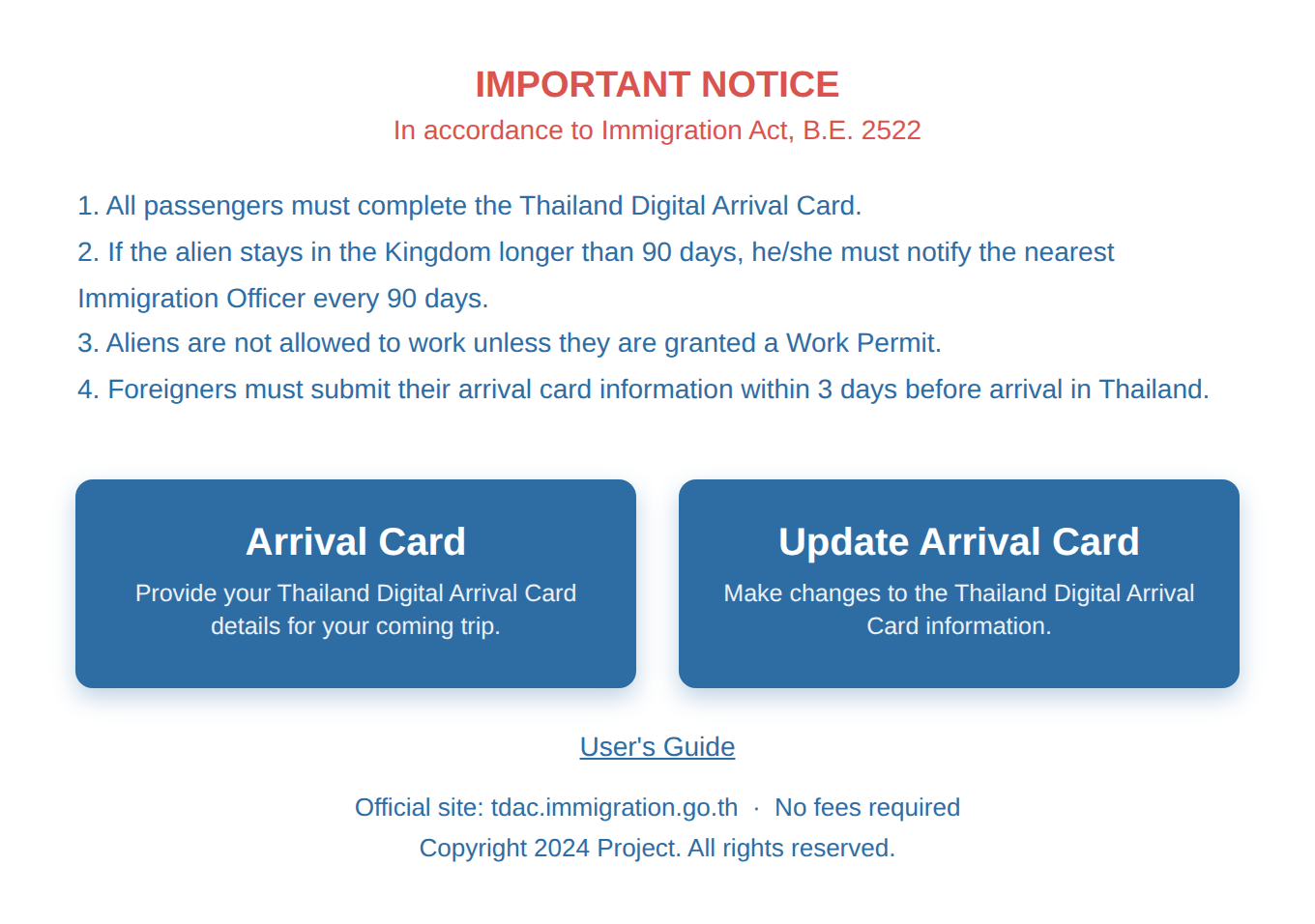
1Personal Information
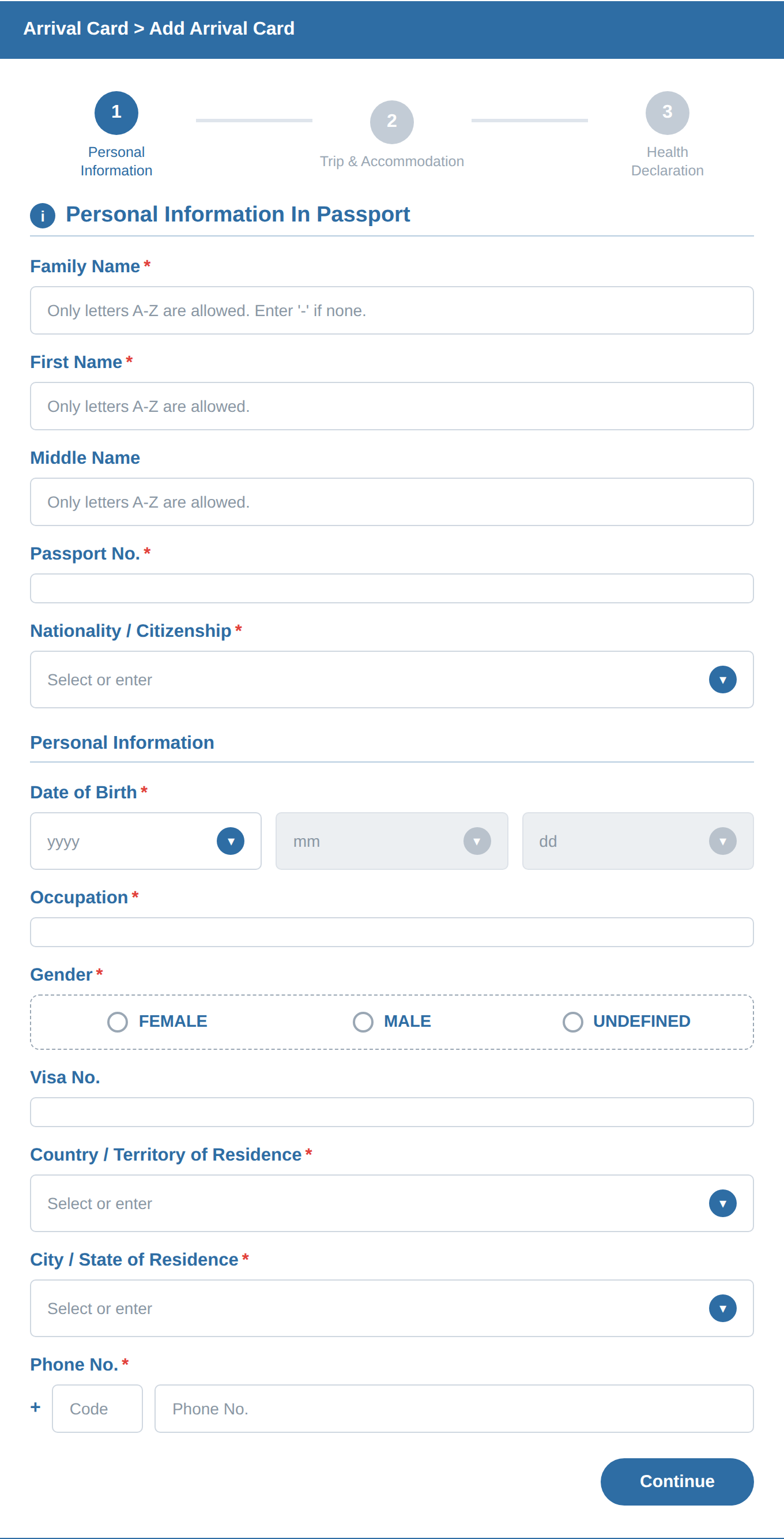
Family / First / Middle NameMust exactly match your passport, including spelling and spacing. If your passport has no family name, enter "-".
Passport No.Enter it exactly as shown in your passport.
Nationality / CitizenshipSearch your country name and select the exact match (some countries have similar names).
Date of Birth · Occupation · GenderFill these in normally.
Visa No.Leave blank unless you hold a Thai visa (long-stay). Visa-exempt tourists skip this.
Country / City of ResidenceChoose your home country and city.
Phone No.Leave the country code as it is and enter your own number after it.
2Trip & Accommodation
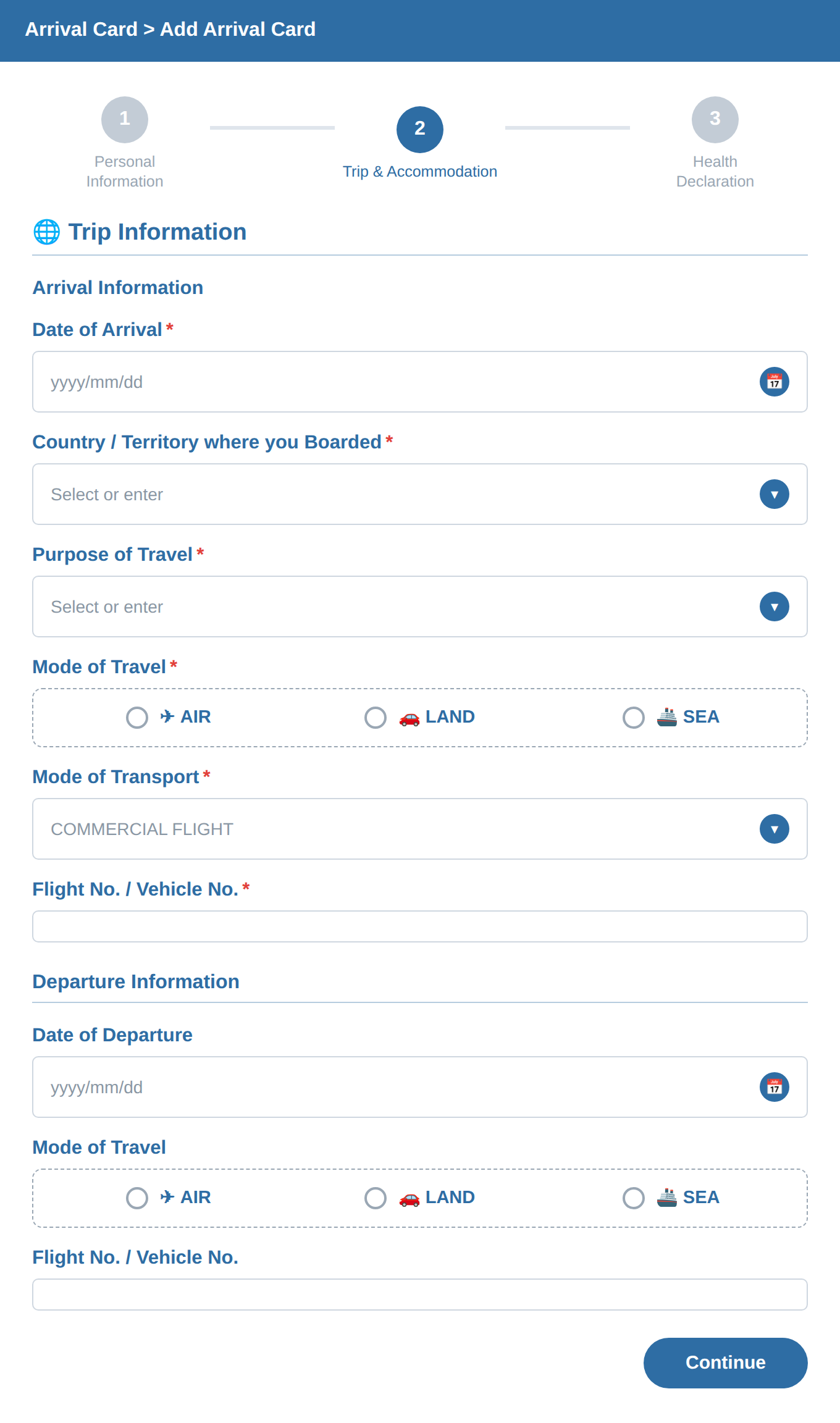
Arrival information is your inbound flight; departure information is your return flight.
Date of ArrivalThe date your inbound flight lands in Thailand.
Country where you BoardedThe country you flew from.
Purpose of TravelChoose HOLIDAY for tourism. Unusual choices can cause questions at the airport.
Mode of Travel / TransportSelect AIR, then COMMERCIAL FLIGHT for a normal airline flight.
Flight No.The flight number printed on your ticket.
Departure (return flight)Enter the Date of Departure, Mode of Travel (AIR) and the Flight No. from your return ticket.
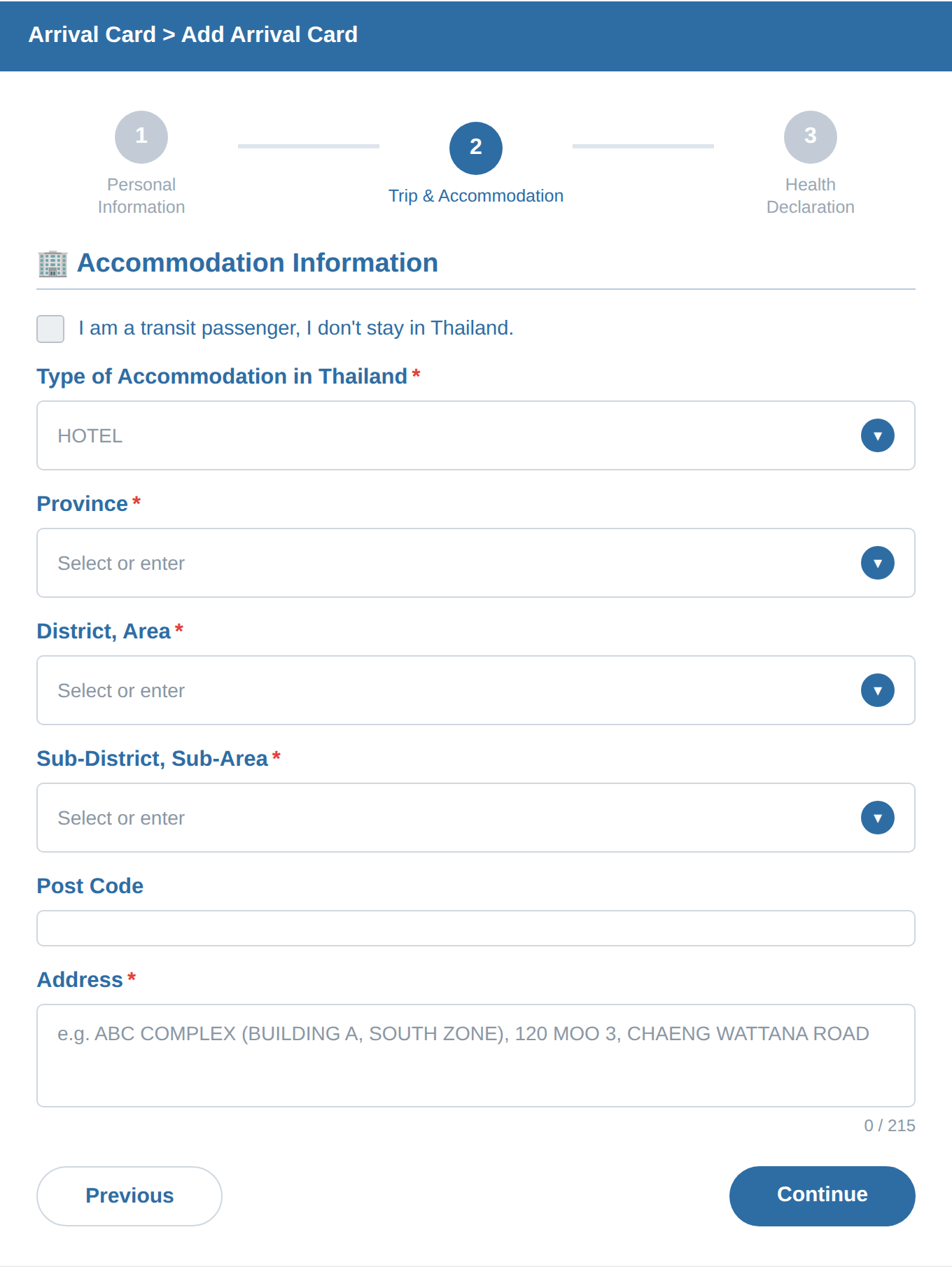
Type of AccommodationSelect HOTEL, even for a condo or Airbnb (there is no separate "condo" option).
AddressFind your booked place on Google Maps, copy the address and translate it to English with Google Translate. Thai addresses run in reverse, so enter it from the end, and delete "Thailand" at the very end (English only).
3Health Declaration & Submit
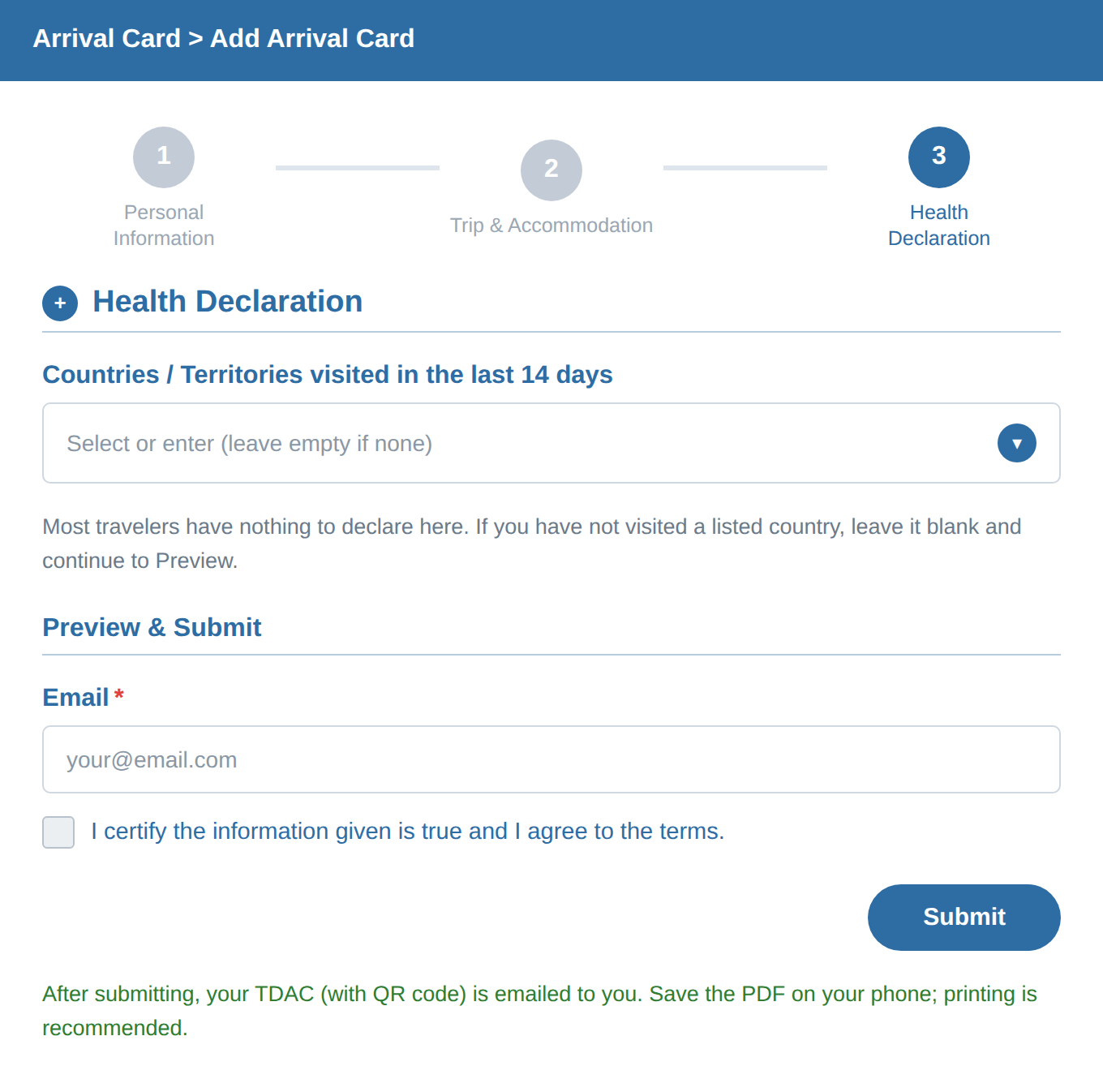
Health DeclarationUsually there is nothing to declare. Leave it blank and go to Preview.
Email + Agree + SubmitEnter your email (required), tick the agreement box and press Submit. If the TDAC arrives in your inbox, it worked.
Save itSave the PDF on your phone; printing is recommended. Made a mistake? Use "Update Arrival Card" on the start screen to fix your submission.
FAQ
Is the TDAC free?
Yes. The official site tdac.immigration.go.th charges no fee. Any site that asks for payment is unofficial.
When do I have to submit the TDAC?
Within 3 days before your arrival date in Thailand.
I have not booked a hotel for every night. What do I enter?
Enter the first place you will stay. One accommodation address is enough.
I entered something wrong. Can I fix it?
Yes. On the start screen choose "Update Arrival Card" to edit your submission.
Information is current as of July 2026 and may change. Always use the official free site tdac.immigration.go.th.
💬 Comments
0 commentsNo comments yet. Be the first to comment!